
LEANWI/WVLS doesn’t directly support Apple/iOS devices, BUT I know they are very popular both with library staff and patrons as personal devices. You might be fielding questions about the new update at your library.
Starting any day now, your iPhone or iPad may be prompted to update to iOS 26.
Major feature updates often create confusion and frustration for those who “just want things to stay the same.” This is fair warning that the reviews and early use of iOS 26 indicate this might be a difficult change.
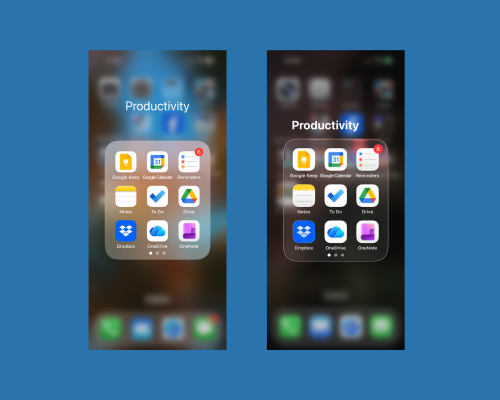
- The “Liquid Glass” transparent default look can make it difficult for users with vision issues to read the screen.
- You cannot simply disable the Liquid Glass or choose to stay with the current iOS look. This is an update for all iOS 26 users. It is not recommended to skip this update as not updating could create potential security issues for your device.
- There are some great accessibility features to iOS 26, but these seem more geared towards those who are already using true “adaptive tools,” and maybe not for those who are not already familiar with assistive technology.
While you can’t “turn off” liquid glass, there are some helpful tips on the internet for reducing the transparency.
- Wired.com: How to (Mostly) Get Rid of Liquid Glass
- Mashable.com: iOS 26: How to turn off Liquid Glass
“To cut down the transparency, head to Settings > Accessibility > Display & Text Size and toggle on Reduce Transparency. This makes elements like folders easier to see when you open them.”